
How to make The Payement At worldtv4fun Via PayPal
STEP 1: Click on The PayPal Button .
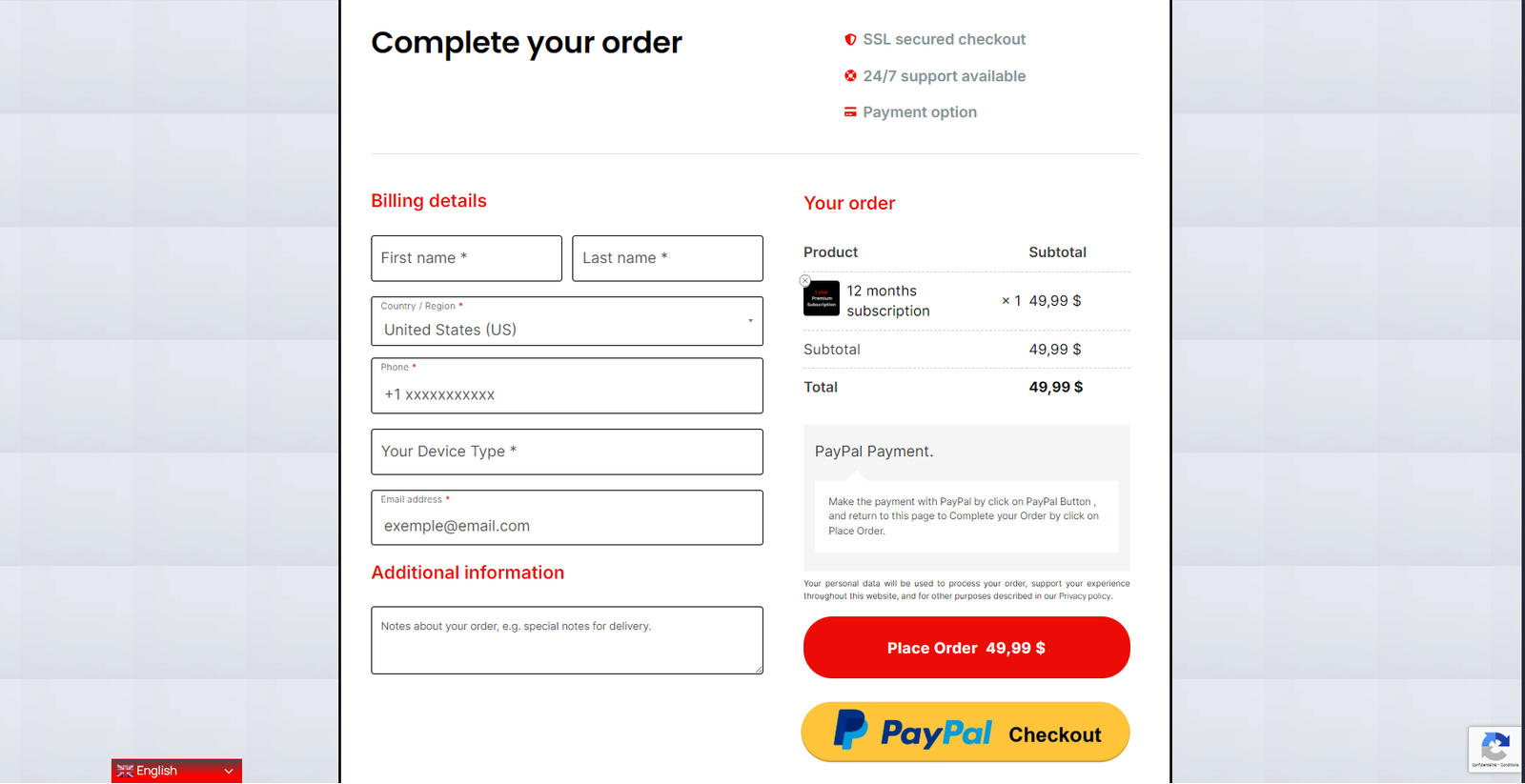
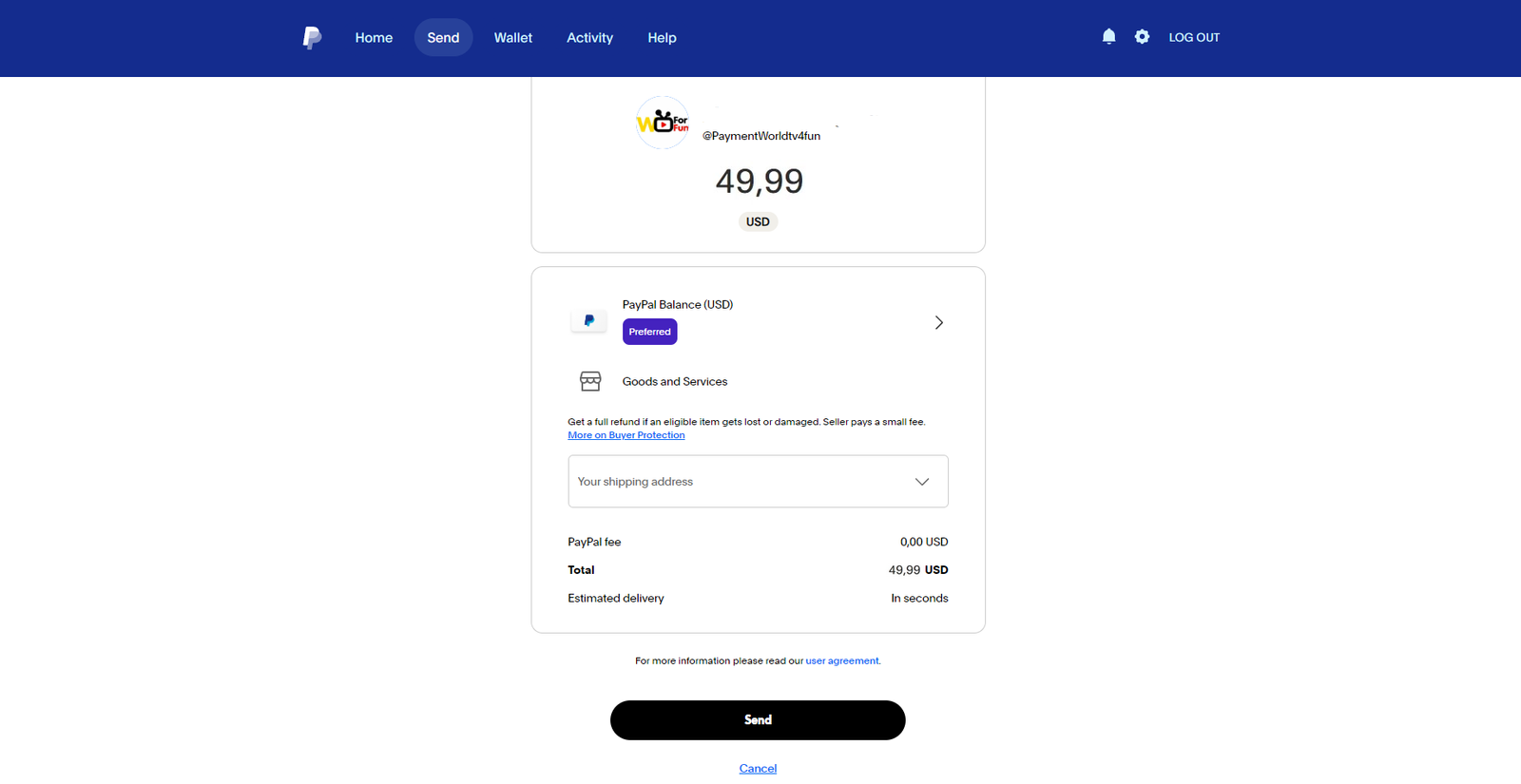
STEP 2: Click on The Send Button

STEP 3 : Put the same subscription amount you chose in the subscription plan .


STEP 4 : Write Your Active Email ( Same Email You Used To Order Your Subscription )


STEP 5: Click On The Next Button.

STEP 6: Click on The Send Button
STEP 7: Return To The Order Page And Complete Your Information And Click The Place Order Button.


STEP 8: Thank You

STEP 9: Retourn To Worldtv4fun Home Page And Contact Us Via WhatsApp (Optionnal)

